Google Health (Fitbit) → Health Connect → Sapiens Rank
Connect Google Health (Fitbit) on Android
What this source adds to your score:
Steps : SentCalories : SentSleep : SentHeart rate : SentWorkouts : Sent
- 1
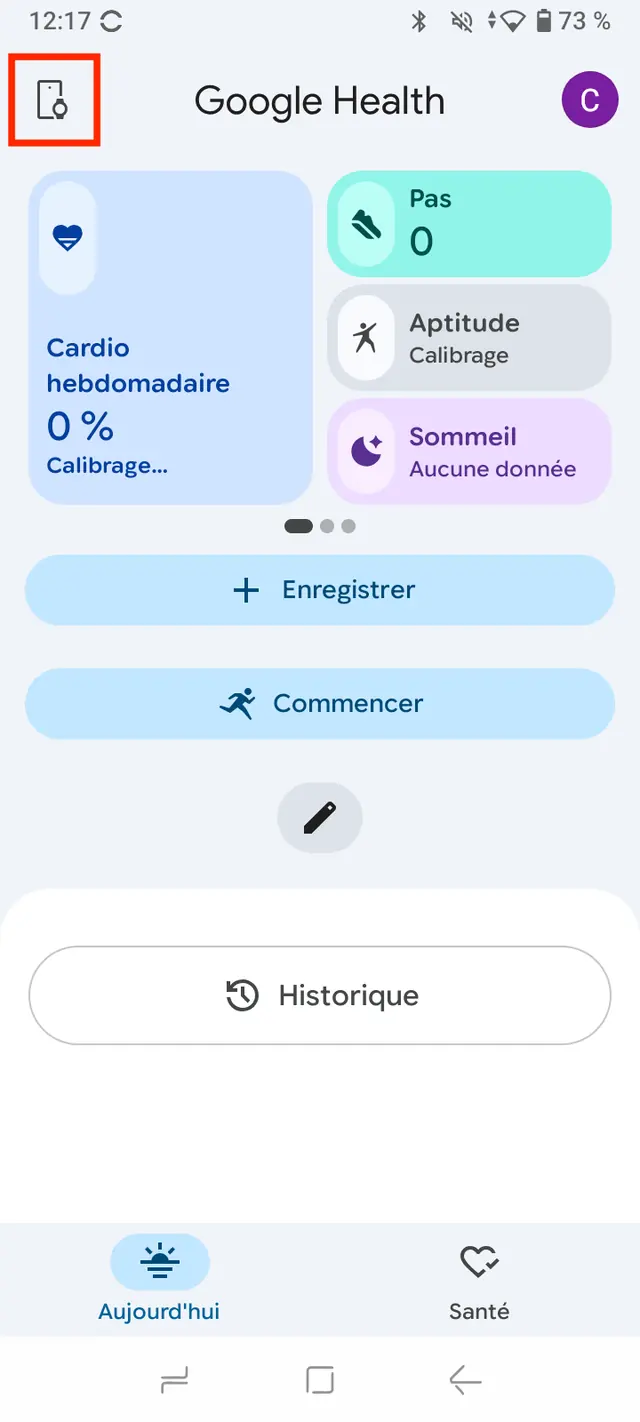
Open the Google Health app (Android 9 or later) and tap the Connections icon, top left.
- 2
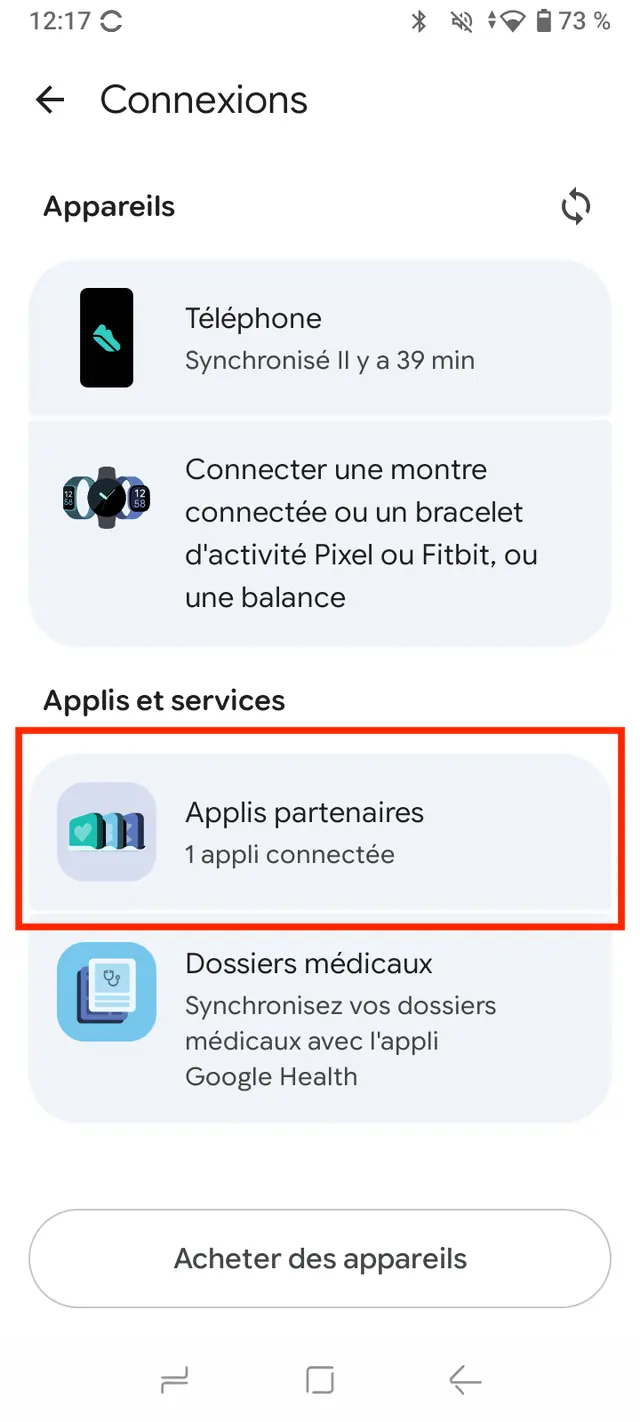
Under Apps & services, tap Partner apps.
- 3
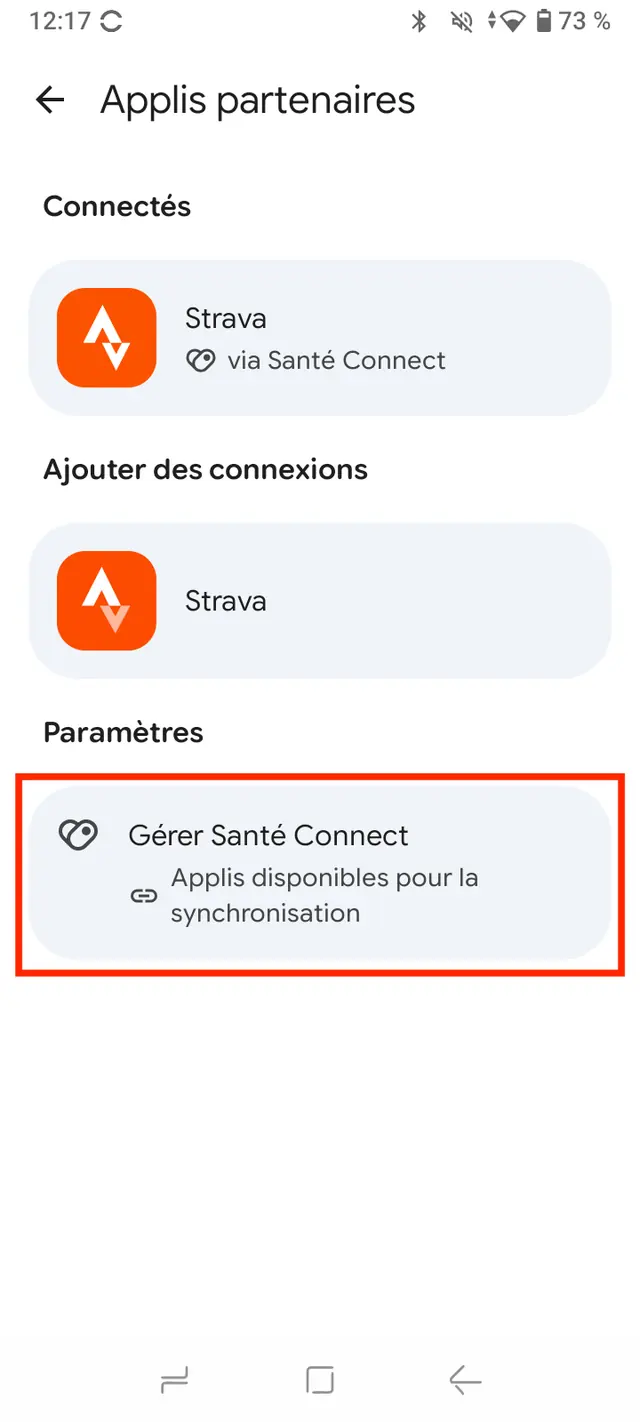
Under Settings, tap Manage Health Connect.
- 4
On the “Get more out of Health Connect” card, tap Review.
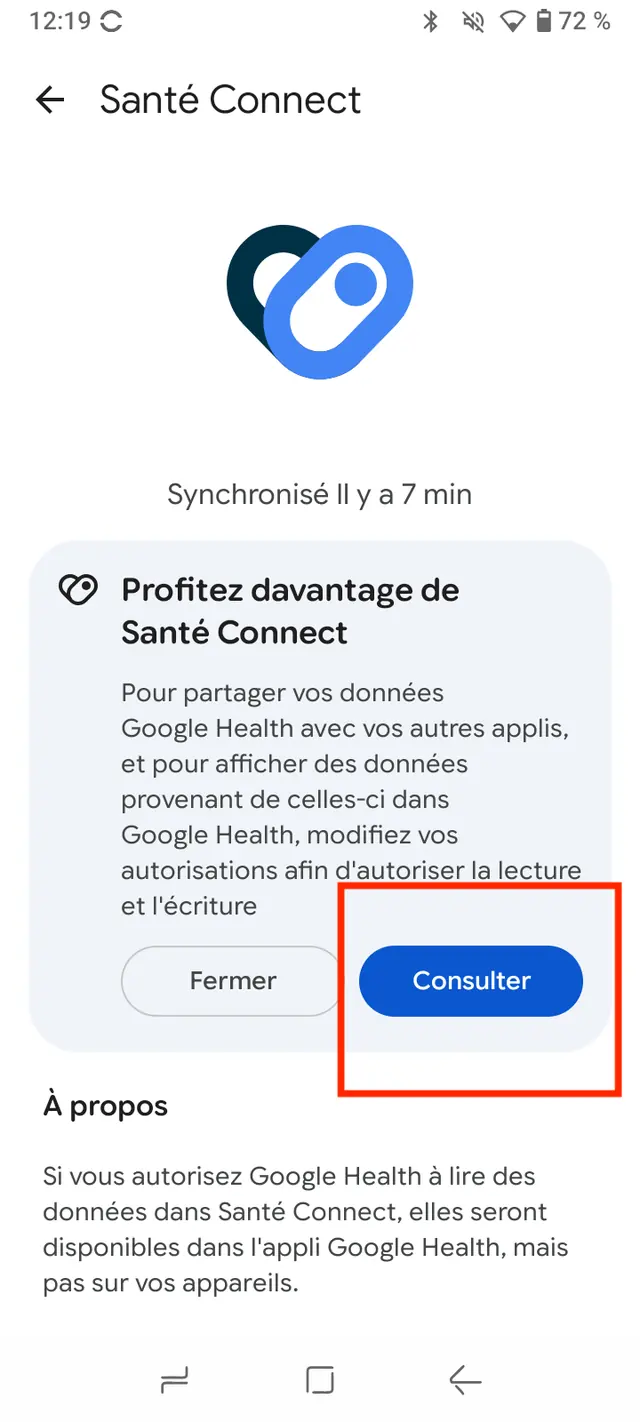
- 5
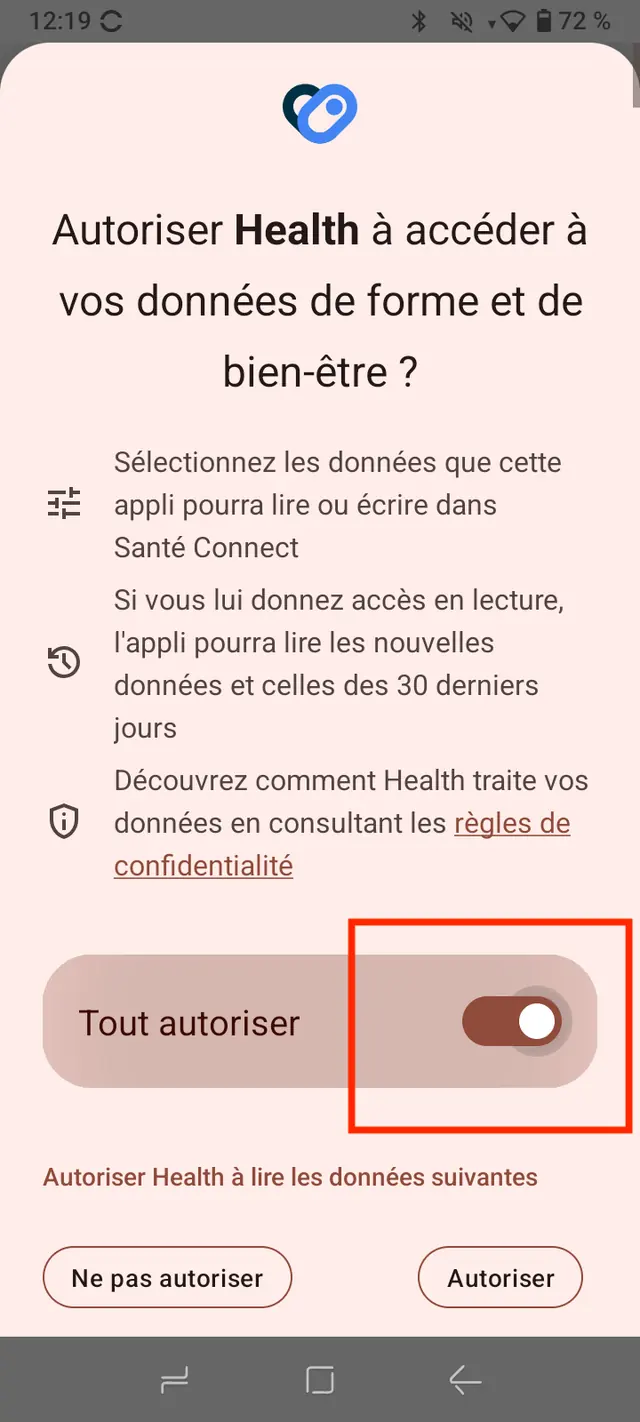
Turn on Allow all, then tap Allow: both read and write access are required.