Sync Garmin Connect with Apple Health (iPhone)

Garmin Connect does not send its data to Sapiens Rank directly: it goes through Apple Health, which the app reads every day. Once connected, your steps, calories, sleep, heart rate and workouts flow into your score automatically.

Garmin Connect → Apple Health → Sapiens Rank

Connect Garmin Connect on iPhone

What this source adds to your score:

Steps : SentCalories : SentSleep : SentHeart rate : SentWorkouts : Sent
  1. 1

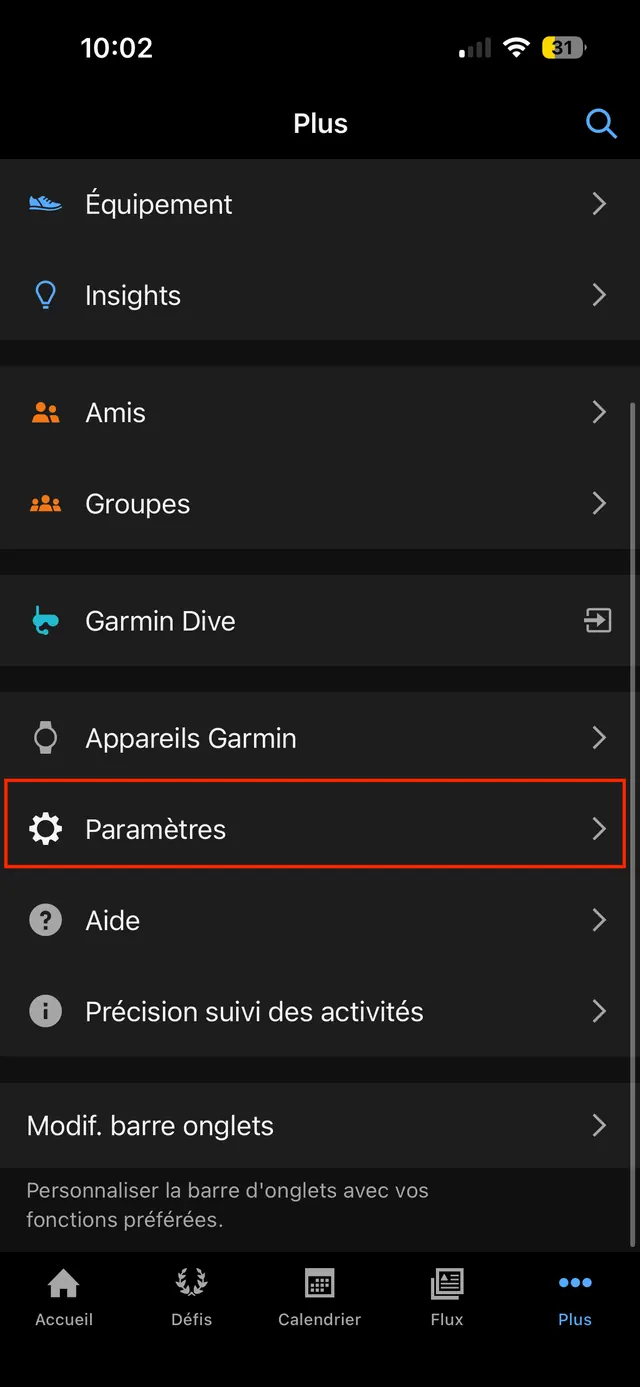
    In Garmin Connect, open the More tab (bottom right).

  2. 2

    Tap Settings.

    Garmin Connect More menu, with the Settings row highlighted.
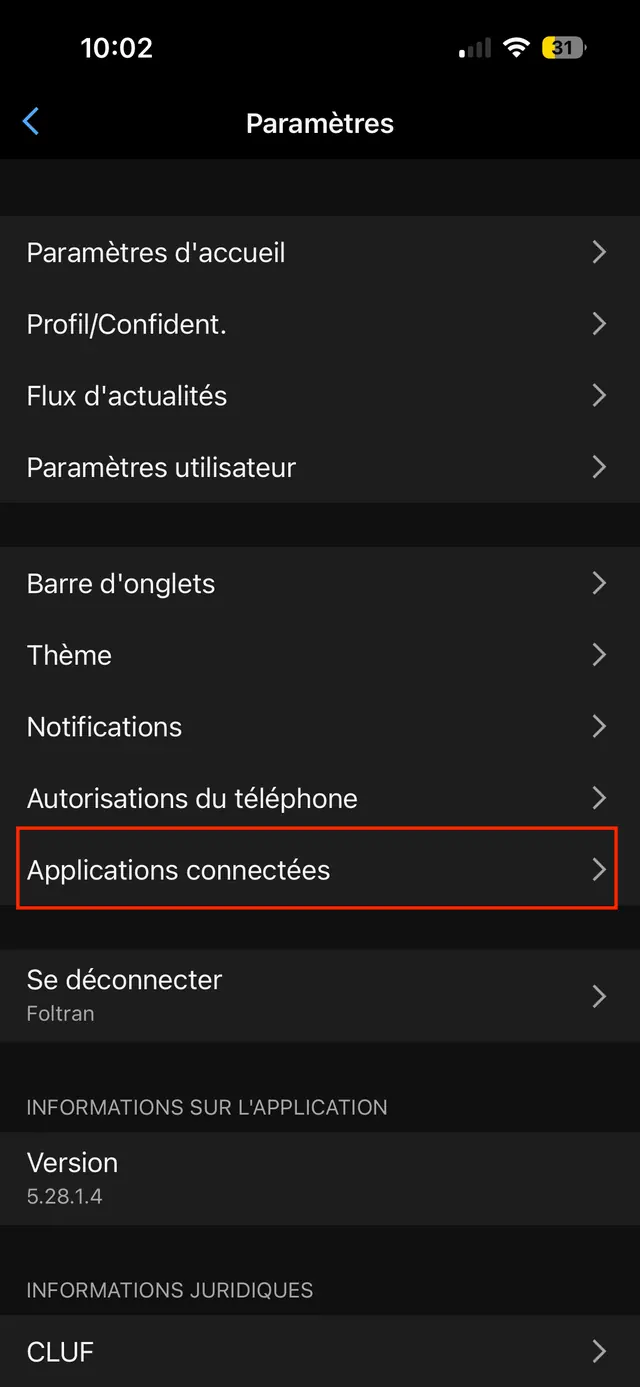
  3. 3

    Tap Connected Apps.

    Garmin Connect Settings screen, with the Connected Apps row highlighted.
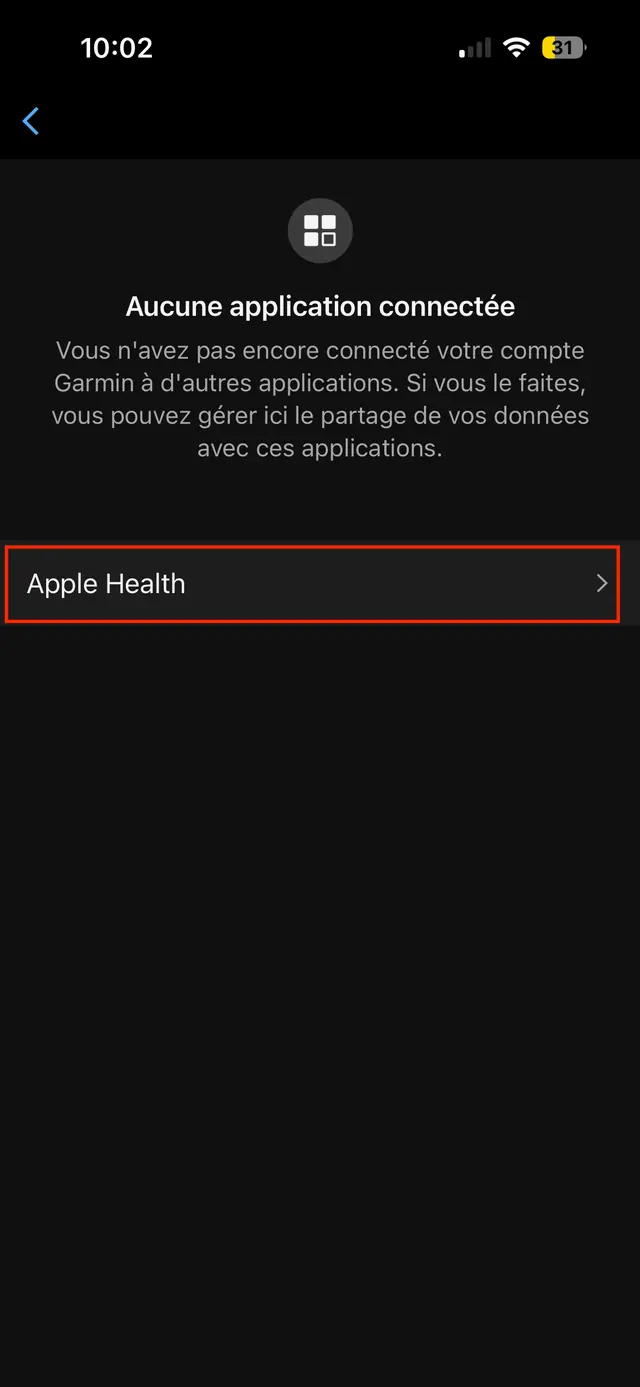
  4. 4

    Choose Apple Health.

    Garmin Connect Connected Apps screen, with the Apple Health row highlighted.
  5. 5

    Tap Connect with Apple Health, then choose the data to share on the Apple Health screen that appears.
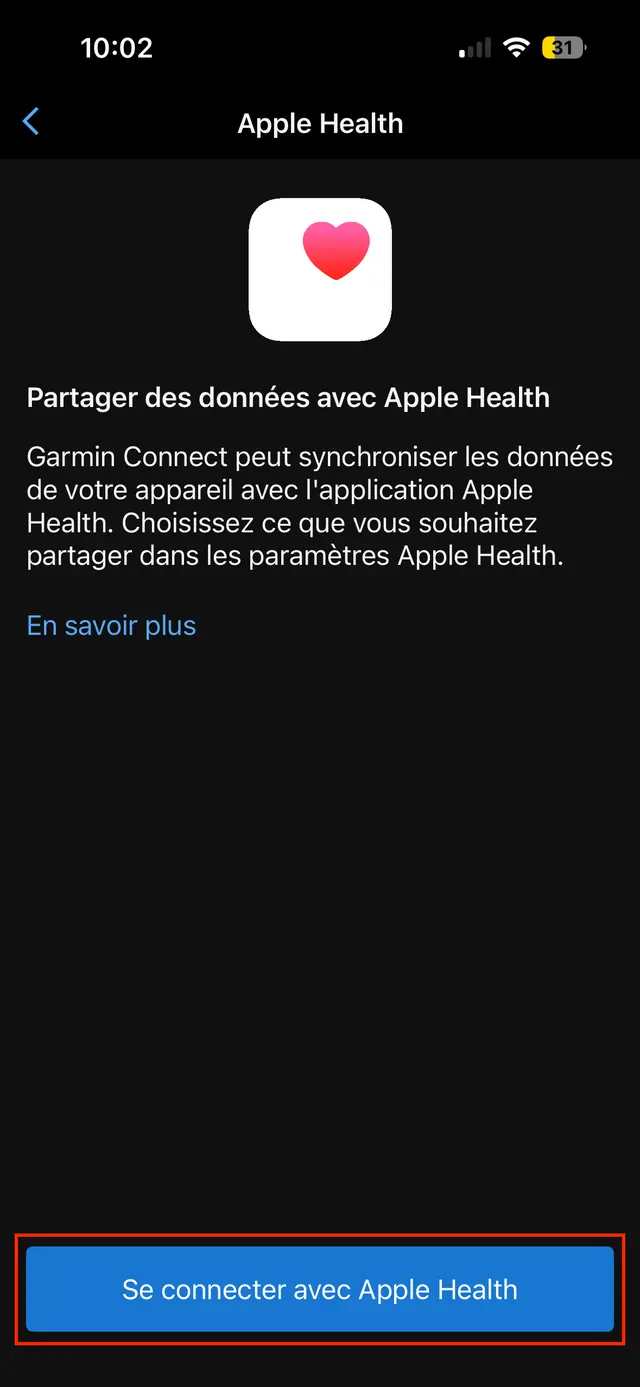
    Garmin Connect Apple Health screen, with the Connect with Apple Health button highlighted.

What next?

Open Sapiens Rank: your data is read every time the app opens. If nothing shows up, check in Apple Health that Garmin Connect is allowed to write every category.

Not on Sapiens Rank yet?

Turn your steps, sleep and workouts into Sapies, conquer territories with your friends and climb the world leaderboard.

Download on the App StoreGet it on Google Play